
What Is the Best ATX Power Supply from China?
Choosing the best ATX power supply from China takes more than comparing wattage and price. China is a major manufacturing base, but a factory location alone does not prove quality. The exact model, its internal components, independent test results, warranty, and seller support matter more. Small details count. Check the label, cable set, connector fit, and unit dimensions before ordering.
Power-supply reviewer Aris Mpitziopoulos’s published testing reflects a useful principle: evaluate a PSU by measured performance and protections, not by its efficiency badge alone. This is a paraphrase, not a verbatim quotation. It is a practical lens for comparing Chinese-made models. Look for stable voltage regulation, low ripple, sensible over-temperature and over-current protections, and credible testing under load. A 750-watt label cannot tell the whole story.
This guide will compare the features that make an ATX power supply dependable for everyday PCs and demanding graphics cards. It will consider ATX 3.x support, native GPU connectors, acoustic behavior, warranty terms, and value at realistic prices. Listen for fan noise in a quiet room. Check whether the cables reach your components. No shortlist is perfect; product revisions and regional warranties can complicate a neat ranking. A cautious buyer should verify the exact model number before purchase.
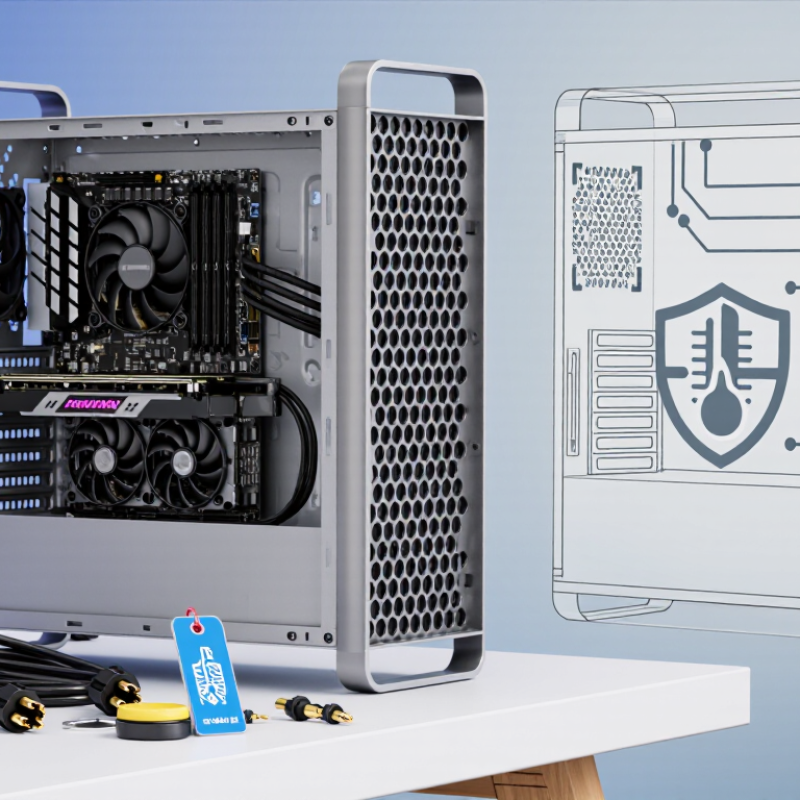
Understanding ATX Power Supplies and China’s Manufacturing Landscape
An ATX power supply converts wall power into stable outputs for a desktop computer. Its size, connectors, and mounting points follow a common format, but performance varies widely. Wattage alone is a poor guide. A system with a powerful graphics card may need more headroom than its basic parts suggest. Check the 12-volt output, cable set, protection features, and measured noise. Small details matter.
China’s manufacturing landscape includes component suppliers, assembly plants, and testing services, often within connected industrial regions. This can support flexible production and shorter supplier links. It does not guarantee consistent quality. A capable factory still needs clear specifications, incoming component checks, and repeatable load testing. Ask for test data on voltage regulation, ripple, and heat under sustained use. Labels can look reassuring. Measurements are better.
For a practical comparison, match the supply to the computer’s real workload, then leave room for brief power spikes and future upgrades. Look for independent testing and certification appropriate to the buyer’s market. Also check warranty terms and the seller’s process for handling faults. I would not treat an efficiency rating as proof of durability; it is only one clue. Even a neat specification sheet can leave unanswered questions about fan behavior or long-term reliability. A little skepticism helps.
What Is the Best ATX Power Supply from China? — Understanding ATX Power Supplies and China’s Manufacturing Landscape
| Decision factor | Verified data | What to look for when sourcing |
|---|---|---|
| ATX form factor | A common ATX power-supply footprint is 150 mm wide × 86 mm high. The unit’s length can vary. | Check the case’s maximum PSU length, cable clearance, and mounting compatibility; do not assume every ATX PSU has the same depth. |
| Main output rails | PC power supplies commonly provide +12 V, +5 V, and +3.3 V DC outputs. Modern systems draw most of their high power from the +12 V rail. | Compare the continuous +12 V output rating and the unit’s total continuous output, not just a peak or marketing wattage figure. |
| ATX 3.0 | This ATX generation introduced requirements for handling brief power excursions and is associated with the 12VHPWR GPU power connector, which can provide up to 600 W when implemented to specification. | For a GPU that uses this connection, confirm the exact cable and connector supplied, supported power level, and installation instructions. |
| ATX 3.1 | This generation uses the revised 12V-2x6 GPU power connector, which can provide up to 600 W when implemented to specification. | Check the stated ATX version and connector type on the product documentation. Do not infer compliance from the connector’s appearance alone. |
| Efficiency benchmark | At 115 V input, common 80 PLUS thresholds for internal non-redundant supplies at 20% / 50% / 100% load are: Bronze 82% / 85% / 82%; Silver 85% / 88% / 85%; Gold 87% / 90% / 87%; Platinum 90% / 92% / 89%. | Check that the efficiency claim applies to the correct input-voltage category and model. Efficiency certification alone does not establish reliability, noise, or protection performance. |
| Titanium efficiency benchmark | At 115 V input, the 80 PLUS Titanium thresholds are 90% / 92% / 94% / 90% at 10% / 20% / 50% / 100% load. | Confirm the exact model and certification record. Compare efficiency at the voltages and load levels relevant to the intended system. |
| Protection and safety | Protection features commonly assessed for PC power supplies include over-voltage, under-voltage, over-current, over-power, short-circuit, and over-temperature protection. | Request the model-specific test report and applicable safety documentation. Verify that protection features are documented rather than relying on a generic product-family claim. |
| Manufacturing in China | China has a large electronics manufacturing and contract-production ecosystem, but capabilities and quality controls vary between facilities and product models. | Assess the actual production site, quality-control process, traceability, sample-test results, warranty terms, and consistency between the approved sample and mass production. |
| Practical definition of “best” | There is no single best PSU for every PC: suitability depends on system power demand, GPU connector needs, case dimensions, noise expectations, and budget. | Choose a properly sized, independently tested model with suitable connectors, documented protections, and verifiable specifications—not solely by origin or advertised wattage. |
Efficiency figures above refer specifically to 115 V internal non-redundant supply thresholds; requirements differ for other input-voltage categories and product types.
Related Posts
-
China Top Computer PSU Suppliers for Global Buyers?
-
China Top 10 ATX Power Supply Manufacturers for Global Buyers
-
What Is a PC Power Supply and What Type Do You Need?
-
Why You Should Choose the Right Power Supply Unit for Your Computer
-
Understanding DC Power Supply: Key Components and Their Impact on Modern Electronics
-

Why You Need UPS Electrical Systems for Home and Business Protection