How to Choose the Right UPS Power Supply for Your Needs?

Choosing the right UPS power supply is critical. Many businesses underestimate this need. A 2022 report by MarketsandMarkets revealed that the global UPS market is set to grow to $10 billion by 2027. This growth indicates increasing reliance on uninterrupted power sources.

Organizations must consider several factors. For instance, capacity, runtime, and form factor should match operational needs. Power quality issues, such as voltage dips, can lead to equipment failure. A survey showed that 40% of companies experienced downtime due to inadequate power supply solutions.

In reality, finding the best UPS power supply is not always straightforward. Many users often select based on price alone. However, the cheapest option may lead to long-term costs in repairs or replacements. The intricate balance of protecting sensitive equipment while maintaining budget constraints is often an area of concern. Each choice should reflect both immediate and future power requirements.

How to Choose the Right UPS Power Supply for Your Needs?

Understanding What a UPS Power Supply Is and Its Importance
How to Choose the Right UPS Power Supply for Your Needs?

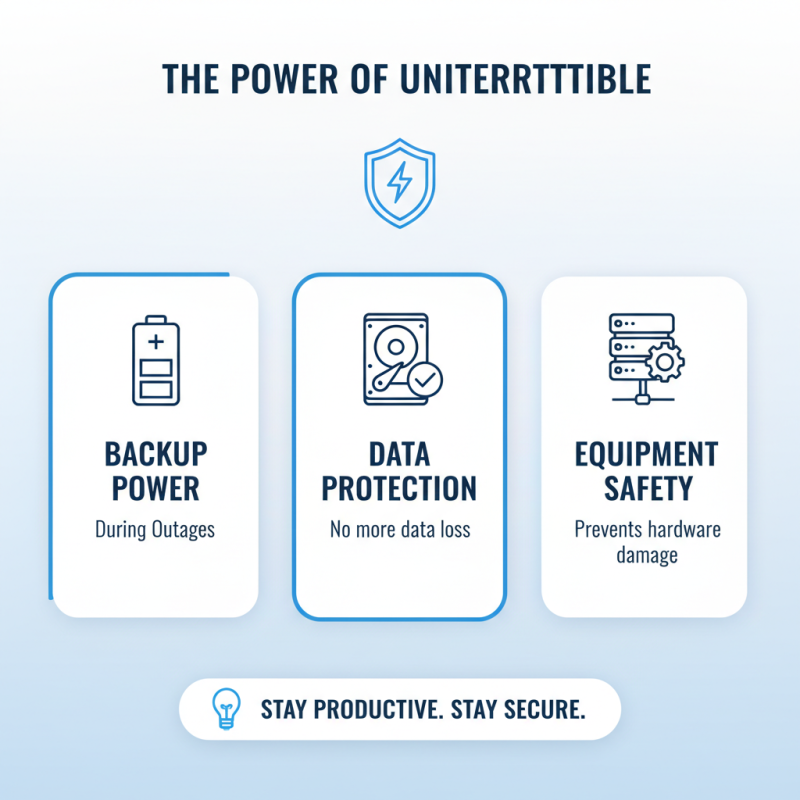
A UPS (Uninterruptible Power Supply) power supply is essential for protecting electronic devices. It provides backup power during outages. This means your equipment stays on, even when the electricity cuts out. The importance of a UPS cannot be overstated. It guards against data loss and hardware damage. More importantly, it ensures the safety of ongoing projects.

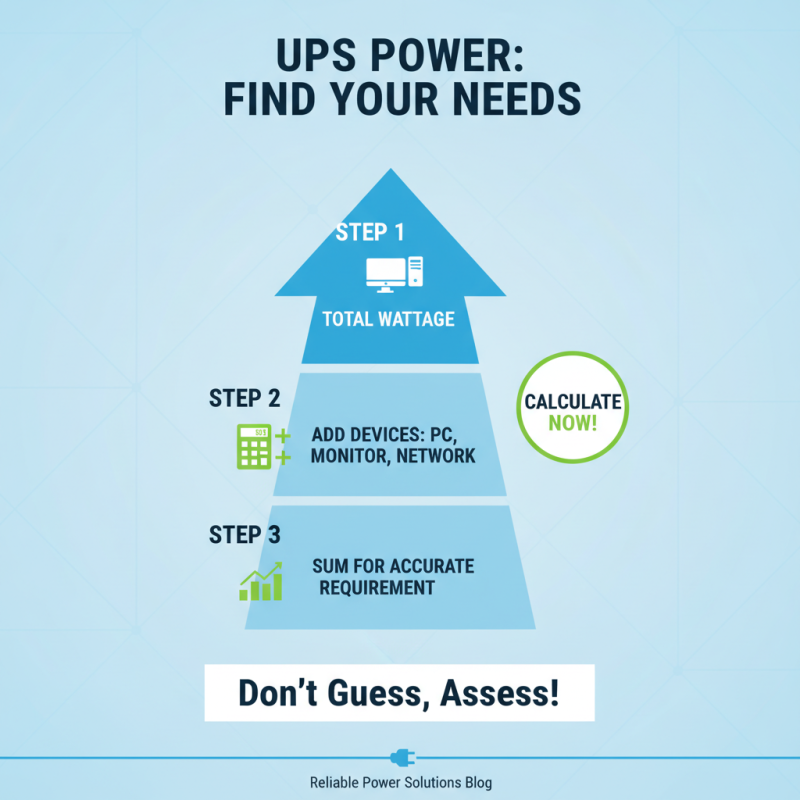
When selecting a UPS, consider your power needs. Calculate the total wattage of devices you wish to protect. Make sure the UPS can handle that load. Overloading a UPS can lead to system failure. Remember, a UPS is not just about backup; it also stabilizes power during surges. It acts as a buffer against fluctuating voltage, which can harm sensitive equipment.

**Tips:** Choose a UPS with a longer battery life for extended outages. Ensure it has enough outlets for all your devices. Regularly check the battery health, as wear can compromise performance. Remember, a UPS is only effective if properly maintained. Consider the environment too—heat and humidity can impact the UPS lifespan. Reflect on these factors to avoid costly mistakes in the future.
Identifying Your Power Requirements for UPS Allocation

How to Choose the Right UPS Power Supply for Your Needs?

Identifying your power requirements is crucial when selecting a UPS power supply. The first step is to assess the total wattage of your devices. Most reports suggest calculating the combined wattage of all equipment needing support. For instance, if you have computers, monitors, and networking gear, sum their wattage for an accurate requirement.

Consider your runtime needs too. Reports indicate that up to 70% of businesses underestimate how long they need backup power. A standard UPS provides limited runtime, and many users fail to account for additional devices. If your equipment requires more time to shut down safely, you may need a larger capacity UPS.

Also, don't forget about power surges. Poor power quality can damage sensitive electronics. A UPS can help, but it may need to be sized to handle peak loads. Some users mistakenly choose a UPS based on continuous load alone, neglecting these surges. Proper allocation considers both continuous needs and peak demand.

Evaluate your future needs as well. Equipment may grow, and your power requirements could change. Regular revisiting of your power profile prevents potential issues.

Evaluating Different UPS Types and Their Features

When selecting a UPS (Uninterruptible Power Supply), understanding different types is crucial. There are three main types: offline, line-interactive, and online UPS systems. According to a recent industry report, line-interactive UPS systems are the most popular choice for small to medium-sized businesses, accounting for nearly 45% of the market. They offer decent protection while maintaining cost efficiency. However, they may not be suitable for highly sensitive equipment.

Online UPS systems provide the highest level of protection. They convert incoming AC power to DC and then back to AC, ensuring a clean power supply. This system is essential for data centers and hospitals, where downtime can be critical. Some reports indicate that online systems can reduce downtime by up to 60%. However, they require more investment and maintenance.

Another point to consider is capacity. UPS capacity is measured in VA (volt-amps). It's essential to evaluate the total wattage of your devices to select the right capacity. An industry survey suggests that 70% of users tend to overestimate their needed capacity, leading to unnecessary expenditures. Adjusting your choice based on actual needs can prevent pitfalls in your UPS selection process.

Considering Battery Runtime and Backup Capacity for UPS

When choosing a UPS power supply, battery runtime and backup capacity are crucial factors. A typical UPS unit offers a runtime of 5 to 30 minutes, depending on its capacity. For example, a unit rated at 1000 VA can provide power to a basic workstation for about 15 minutes. This is vital during short outages. However, this duration may not suffice for longer interruptions. Users often underestimate their power needs during a blackout, leading to inadequate backup.

Battery capacity plays a significant role in shaping your power options. The amp-hour (Ah) rating reflects how long batteries can sustain loads. For instance, a 12V, 9Ah battery can support a 90W load for about an hour. However, if the load increases, the runtime decreases significantly. Industry analytics show that nearly 70% of users expect their UPS to support critical loads for at least one hour. This mismatch can cause panic during outages.

It's essential to match battery and runtime needs to your specific applications. Broadly speaking, a common error is ignoring the power factor. Most UPS systems have a power factor between 0.6 and 0.9. This discrepancy can lead to confusion about actual available power. Always calculate based on real-world scenarios rather than ideal conditions. Reflecting on your unique requirements is crucial for efficient and effective backup power management.

How to Choose the Right UPS Power Supply for Your Needs?

UPS Type Battery Runtime (minutes) Load Capacity (Watts) Total Backups Provided Ideal Usage
Standby UPS 10-30 300-600 1 Personal Electronics
Line-Interactive UPS 20-60 600-1500 1-3 Small Business, Workstations
Online UPS 30-120 1500-5000 3+ Data Centers, Critical Systems
Rack-Mount UPS 15-45 500-3000 2-5 Server Rooms
Portable UPS 20-60 200-800 1 Travel, Remote Locations

Assessing Cost vs. Benefits in Your UPS Selection Process

When selecting a UPS power supply, weighing cost against benefits is crucial. A recent industry report indicates that businesses lose an average of $250,000 per hour during downtime. Investing in a reliable UPS can greatly reduce this risk. A UPS ensures that critical systems remain operational when power outages occur. The upfront costs can seem high, but the potential savings from avoided downtime justify the investment.

Consider your power needs. The total wattage of your devices is essential. A quality UPS can protect against surges and keep systems running. According to another study, 40% of businesses chose underpowered systems, leading to frequent failures. This mistake costs more in the long run, overshadowing initial savings. Also, think about maintenance costs. Some cheaper models may require more servicing, increasing total expenses over time.

Remember, each company’s situation is unique. It’s essential to assess your specific requirements. The right UPS could save significant costs related to business interruptions. However, not investing thoughtfully could lead to overspending without gaining adequate protection. Balancing these factors is key to making the best choice.