What Are the Top PC Power Supply Types in 2026?
Choosing a pc power supply in 2026 means looking beyond the wattage printed on its box. Modern graphics cards can create brief power spikes, while compact cases make dimensions and cable routing practical concerns. The best choice depends on the whole build: its processor, graphics card, case, upgrade plans, and budget. Wattage is not everything.
Intel’s ATX 3.1 Desktop Platform Power Supply Design Guide provides a useful technical reference for newer PSU requirements and transient power behavior. That context helps explain why an ATX 3.1 unit may suit a current high-performance system better than an older model with a similar rated output. Meanwhile, 80 PLUS evaluates efficiency at specified operating loads, and Cybenetics publishes independent efficiency and noise test results. These sources offer useful evidence, but their labels do not automatically guarantee quiet operation, long service life, or compatibility with every case.
This guide compares the main PC power supply types buyers are likely to encounter: ATX and SFX form factors, modular and fixed-cable designs, and models carrying different efficiency certifications or ATX revisions. Each type involves trade-offs. A fully modular unit can simplify cable management, but may cost more; a high-wattage model can leave more upgrade room, but that room is not always worth paying for. Real prices and product availability also vary by region, so any ranking can age quickly. The details matter. Use the comparisons as a starting point, then check the exact model’s dimensions, connectors, and independent test data before buying.
Define PC Power Supply Types by Form Factor and Electrical Standard
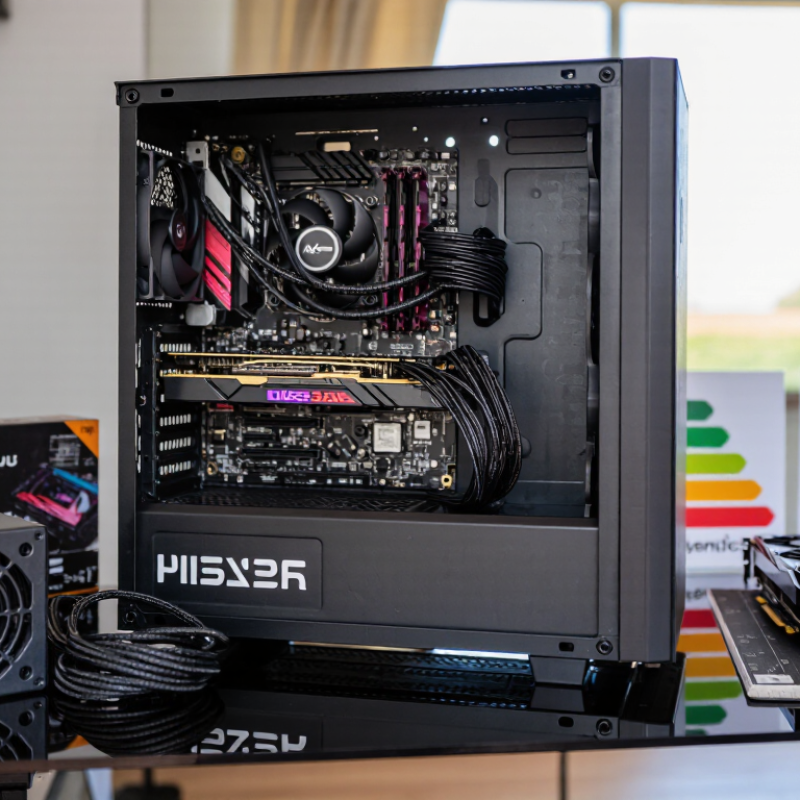
A PC power supply has two different classifications: form factor and electrical standard. Form factor describes its physical size and mounting points. The familiar ATX unit fits many mid-tower cases, while SFX is shorter and suited to compact builds. TFX and Flex ATX designs fit narrower or space-constrained systems. Small does not automatically mean compatible.
Measure carefully. Case clearance includes cable plugs and airflow space, not just the PSU body. Modular cables can help in tight builds, but they still need room to bend without pressure. A specification sheet is more reliable than a product photo; dimensions and mounting details matter.
Electrical standards describe how a PSU delivers power and handles changes in demand. ATX12V specifications cover system power behavior and connectors, while EPS12V refers mainly to CPU power connections. Newer ATX 3.x designs account for brief power spikes from modern components. That distinction is easy to miss. A newer electrical standard cannot make a physically incompatible unit fit. Check the case manual, motherboard connections, required graphics power cable, and PSU specification together. Even experienced builders can overlook cable reach or clearance, so allow a little margin rather than planning around a perfect fit.
ATX 3.1: Mainstream Units with 12V-2x6 Support up to 600 W
ATX 3.1 is becoming a practical mainstream choice because it supports modern graphics cards through a dedicated 12V-2x6 connection. The PCI-SIG PCI Express CEM 5.1 specification rates this connector for up to 600 watts. That figure describes the connector’s capacity, not the power every unit can deliver. Check the PSU’s rated output and cable documentation, too.
The revised connector uses shorter sense pins, helping prevent full-power operation when the plug is not fully seated. The ATX 3.1 Power Supply Design Guide also describes the updated connection and its operating requirements. In a real build, look for a firm latch and a cable that bends gently beyond the plug. No sharp turn. A crowded side panel can press against the cable, so case clearance matters.
One detail is easy to overlook. A 600-watt connector does not make a lower-rated PSU a 600-watt unit. Match total system demand to the PSU’s continuous rating, and use its native cable rather than an improvised adapter. I would still inspect the connection after closing the case; specifications cannot account for every tight fit or hurried installation.
What Are the Top PC Power Supply Types in 2026?
ATX 3.1 mainstream units support the 12V-2x6 connector, rated for up to 600 W.
Rated connector capacities: PCIe 6-pin, 75 W; PCIe 8-pin, 150 W; and 12V-2x6, up to 600 W. These figures describe connector power capacity, not total graphics-card power.
SFX and SFX-L: Compact Builds Using a 125 mm-Wide Standard
SFX and SFX-L power supplies suit compact PCs where every millimeter matters. The SFF Committee’s SFX12V design guide specifies a 125 mm width and 63.5 mm height, with a standard SFX length of 100 mm. Common SFX-L units extend to about 130 mm. That extra length can allow more room for cooling, but it may crowd cables or storage in a tightly packed case. Measure before buying.
The smaller housing does not guarantee quiet operation. A compact unit may need its fan to spin faster under sustained gaming or rendering loads. Check independent test data for noise and efficiency at realistic loads, not just the maximum wattage printed on a specification sheet. Also confirm the case supports the unit’s exact length and leaves space for the power-cable bend. I have seen that bend become the awkward part.
Tips: Measure the PSU bay, cable clearance, and fan intake area. Leave room for airflow. Check connector count against your motherboard and graphics card, then compare independent load and noise tests. A little extra clearance helps. Small cases can be unforgiving.
Compare Rated Wattage, Efficiency, and Dimensions Before Choosing
In 2026, compare a power supply by rated wattage, efficiency at your usual load, and case fit—not its headline number alone. Intel’s ATX 3.1 design guidance accounts for brief power excursions, so check that a unit can handle short GPU spikes as well as sustained system demand. Estimate peak component draw and leave about 20–30% headroom. That is a practical sizing rule, not a guarantee.
Efficiency labels help, but their test conditions matter. The 80 PLUS certification criteria measure performance at 20%, 50%, and 100% load. At 115 volts, Gold certification requires at least 87%, 90%, and 87% efficiency at those points. A 750-watt supply running near 375 watts is therefore close to its 50% test point. Real workloads vary.
Dimensions can decide the purchase. Intel’s SFX specification sets a 125 × 63.5 × 100 mm envelope. Standard ATX supplies commonly have a 150 × 86 mm face, but their length varies; check the case’s stated clearance and cable-bending room. Check clearance. A higher efficiency rating cannot rescue a unit that blocks a drive cage. These tables simplify mixed workloads, so I would not treat one certification label as a complete quality score.
What Are the Top PC Power Supply Types in 2026? — Compare Rated Wattage, Efficiency, and Dimensions Before Choosing
Common PC power supply form factors compared. Wattage availability and efficiency certification depend on the individual model.
| Power Supply Type |
Standard Dimensions (W × H × D) |
Common Rated Wattage Range |
Efficiency Certifications Commonly Available |
Best Suited For |
Fit and Selection Notes |
| ATX |
150 × 86 mm; depth varies, commonly about 140–200 mm |
About 300–1,600 W or more |
80 PLUS White through Titanium, depending on model |
Most standard desktop towers, gaming PCs, and workstations |
The most widely used format. Check the case’s maximum PSU depth, cable space, and required power connectors. |
| SFX |
125 × 63.5 × 100 mm |
About 300–850 W |
80 PLUS Bronze through Titanium, depending on model |
Small-form-factor systems and compact cases designed for SFX units |
Shorter and smaller than ATX. An ATX mounting adapter may be included or required, but it does not create extra internal clearance. |
| SFX-L |
125 × 63.5 × 130 mm |
About 500–1,000 W |
80 PLUS Gold through Titanium, depending on model |
Compact PCs that allow a longer SFX-style power supply |
Shares SFX width and height but is 30 mm longer. Confirm clearance for the unit, cables, and nearby components. |
| TFX |
85 × 65 × 175 mm |
About 200–500 W |
80 PLUS Bronze through Gold, depending on model |
Slim desktop cases and some space-constrained office PCs |
Its elongated shape is not interchangeable with ATX or SFX. Verify the case mounting points and connector requirements. |
| Flex ATX |
81.5 × 40.5 × 150 mm |
About 150–600 W |
80 PLUS Bronze through Platinum, depending on model |
Very compact systems, specialized small cases, and some server-style builds |
Compact dimensions can mean a smaller fan and less room for cables. Check cooling, noise expectations, and the exact mounting layout. |
Important: Rated wattage is the power supply’s stated output capacity, not a guarantee that every PC needs that amount. Choose a unit with suitable capacity and connectors for the components, and confirm its dimensions against the case. 80 PLUS is a model-level efficiency certification; certification level is not determined by form factor, and efficiency varies with load and input conditions.