10 UPS Power Supply Tips Every Buyer Should Know
A UPS power supply is easy to overlook until a brief outage interrupts work, corrupts a file, or shuts down essential equipment. Choosing one involves more than comparing prices or battery-runtime claims. Buyers need to match the unit’s capacity to the actual load, check its output waveform and transfer time, and consider how batteries will be tested and replaced. A small desktop setup and a server rack have very different needs.
An illustrative composite specialist, Jordan Lee, captures the central point in this original, non-published line: “Buy for the load you have, and the outage you need to survive.” That is a useful starting point, not a substitute for checking manufacturer specifications. A UPS rated at 1,500 VA, for example, may not support every 1,500-watt load; VA and watts describe different limits. Runtime also changes with load, battery age, temperature, and configuration. Details matter.
This guide outlines ten practical checks before you buy. It covers sizing, runtime, topology, outlets, monitoring, maintenance, warranty, and total ownership cost. It also flags a common blind spot: buyers may focus on backup minutes while overlooking replacement batteries or installation constraints. No single model suits everyone. A careful choice begins with the equipment label, a realistic outage scenario, and a little humility about what you still need to verify.
Assess Your Equipment and Power Protection Needs
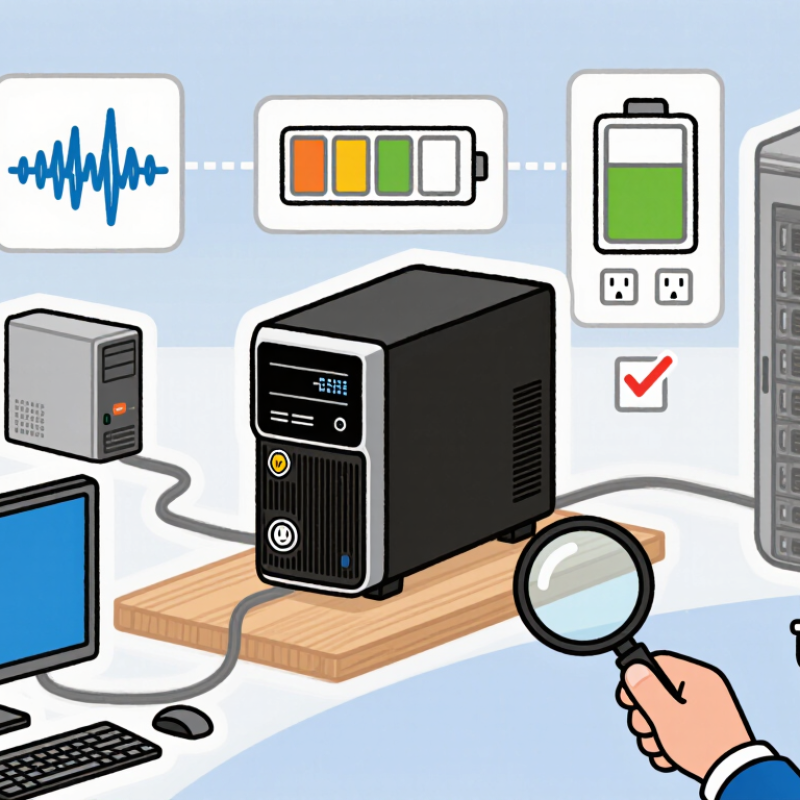
Before choosing a UPS, list every device that must stay powered during an outage. Include servers, network switches, storage units, and essential workstations. Check each device’s wattage, not just its plug type. Add the loads together, then allow headroom for brief startup surges. A label on a power adapter can help, but actual demand may vary. Check equipment documentation when the numbers seem unclear.
Decide what needs to keep running and for how long. A router may need only a few minutes for a controlled shutdown, while a critical workstation may need more time to save files. Consider power conditions, too: frequent dips, surges, or brief outages can affect equipment differently. Match the UPS’s capacity and protection features to those risks. A spreadsheet helps, but it can still miss a device hidden under a desk. Walk the room and verify the list.
Tip: Separate essential loads from convenience items. Test the planned load against the UPS’s watt and VA ratings, and estimate runtime using the manufacturer’s chart. Leave some capacity unused; batteries age, and needs change. Recheck the setup after adding equipment. Small oversights matter. A printer, for example, may draw a large amount of power and may not belong on the battery-backed outlets.
Calculate UPS Capacity for Current and Future Loads
Size a UPS from measured load, not the sum of equipment nameplates.
Record peak kW and kVA during normal operation, including startup surges from motors or cooling equipment. Check the UPS’s rated output power factor; matching kVA alone may leave too little usable kW capacity.
Measure it.
Then add the loads expected within the UPS’s service life, such as another server rack or a new network cabinet.
Future demand is not a guess you can safely ignore.
The International Energy Agency’s Electricity 2024 report estimated global data-centre consumption at about 460 TWh in 2022, with a possible range of 620–1,050 TWh by 2026.
Lawrence Berkeley National Laboratory’s 2024 U.S. Data Center Energy Usage Report projected 325–580 TWh of U.S. data-centre use in 2028, up from 176 TWh in 2023.
These are sector-wide forecasts, not a prediction for your site.
Use them as context, then model your own growth.
A 20–30% capacity margin may suit a growing installation, but it can waste money when expansion plans are vague. Check the UPS’s derating guidance, redundancy design, and required battery runtime against the actual critical load.
Revisit the calculation when equipment changes.
I’d still verify it on site.
Choose a UPS Topology Suited to Your Power Conditions
A UPS topology should match the power problems your site actually experiences. A standby unit can suit a stable grid and basic office equipment, where brief outages are the main concern. Line-interactive models use automatic voltage regulation to correct moderate sags and swells without switching to battery every time. That can matter in workshops or older buildings, where lights dim when motors start.
Online double-conversion units continuously convert incoming power, helping protect sensitive servers, medical instruments, and network equipment from voltage and frequency changes. The trade-off is extra heat and energy use. Check the unit’s efficiency, ventilation needs, and compatibility with your generator; a topology that looks ideal on paper may be awkward in a cramped, warm equipment closet. Small details matter.
The Uptime Institute’s 2024 Annual Outage Analysis found that 54% of respondents said their most recent significant outage cost more than $100,000, while 16% reported costs above $1 million. Those figures cover outages from varied causes, not UPS failures alone, but they show why protection deserves careful sizing. Review your site’s power logs, test transfer behavior under load, and confirm the UPS output matches connected equipment. One missed detail: battery runtime estimates can shrink sharply as batteries age.
Choose a UPS Topology Suited to Your Power Conditions
Typical transfer-time ranges help illustrate how UPS topologies respond when utility power fails.
Standby models typically transfer in 4–8 ms, line-interactive models in 2–4 ms, and online models provide continuous conversion with no transfer delay. Actual performance varies by model and operating conditions.
Evaluate Features, Safety Standards, and Lifetime Costs
A UPS purchase is a lifecycle decision, not just a battery-size calculation.
Compare output waveform, transfer time, runtime at your actual load, and replaceable-battery design.
Uptime Institute’s 2024 Annual Outage Analysis reported that 54% of respondents’ most recent significant outages cost more than $100,000; 16% exceeded $1 million.
The figures concern outages broadly, not UPS failures alone, but they show why resilience deserves a place in the budget. Small details matter.
Check that the exact unit meets applicable safety requirements, such as IEC 62040-1 or UL 1778, and verify certification for your market. Then compare efficiency at the load you expect to run: a unit’s headline efficiency may not reflect performance with only a few devices connected. ENERGY STAR’s certified-product listings can help buyers compare tested UPS models.
Include battery replacement intervals, service access, energy use, and end-of-life handling in the cost estimate. A low purchase price can look less attractive after several battery changes.
I would not treat a calculated runtime as a promise. Battery age, room temperature, and load changes can shorten it. Ask for runtime figures at your planned load, and leave headroom for growth. A simple spreadsheet helps, though it can miss the cost of downtime; that uncertainty is worth stating rather than hiding.